
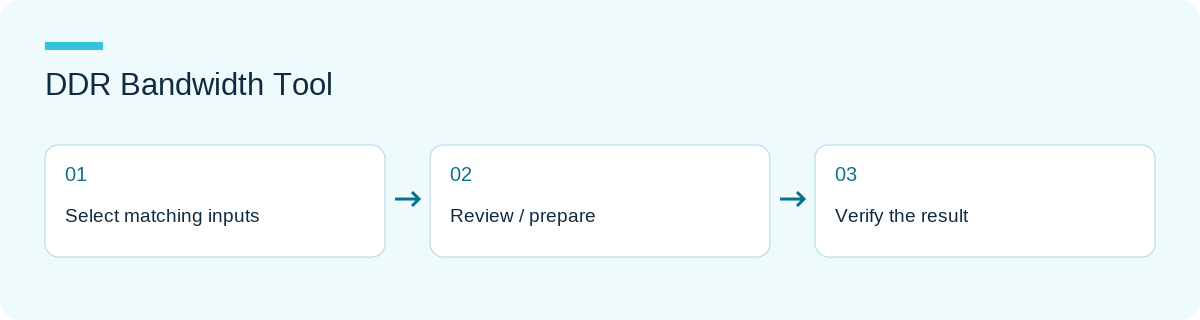
Complete DDR bandwidth manual V1.4.1
The source defines monitor as the function that observes and counts DDR commands. Its product table says all chips/kernels, but the technical instructions require checking the actual tool help for supported platforms. This is not evidence of universal ArmSoM support. All six chapters—terminology, platforms, options, prerequisites, output and FAQ—follow.
1–3. Platforms and options
rk-msch-probe_vx.xx -h

Usage: [-c chip_name -d msecs -f freq -h help]
-c chip_name:
'rk312x' include rk3126,rk3128 and px3se
'rk322x' include rk3128h,rk3228a,rk3228b and rk3229
...
[option] -d msecs for sampling interval
[option] -f freq mean current ddr frequency unit MHz
-h for help
-c selects a recognized platform such as rk3326. -d is the sampling interval in milliseconds, default 1000 ms. -f supplies current DDR frequency in MHz when per-interval automatic detection fails. -h shows help. Fix the DDR frequency before measurement to prevent changing frequencies from invalidating results. The source help lists rk3128h under rk322x; this spelling is preserved, not silently replaced with another chip.
4. Preconditions and frequency units
echo userspace > /sys/class/devfreq/dmc/governor
echo 780000000 > /sys/class/devfreq/dmc/userspace/set_freq
The DDR governor must not be dmc_ondemand; the manual recommends userspace. The second line is the source 780 MHz example, expressed in Hz for sysfs, unlike MHz for -f. The path/frequency need not exist on every board. Discard the current interval when the following error appears. The quoted diagnostic omits / before sys; it is preserved as output, while actual inspection should use the absolute path above.
Error: The DDR monitor time gets error!!!
Please check the devfreq governor is not 'dmc_ondemand'!!!
For example:
# cat sys/class/devfreq/dmc/governor
# dmc_ondemand
Please switch the devfreq governor to others, such as 'userspace'.
For example:
# echo userspace > /sys/class/devfreq/dmc/governor
Delete the result of this time!
5. Output examples and every counter
These are vendor-source outputs, not ArmSoM measurements. Typical platforms print by channel; RK3588 shows ALL and CH0–CH3.
V1.06_20200629
ddr freq: 928Mhz
CH0:
ddr monitor statistics:
ddr load = 3251.23MB/s(43.76%) [RD:1859.93MB/s(25.03%), WR:1391.30MB/s(18.72%), ACT(access : active): 3.34, srex:0.54%, pdex:1.27%, clkstp:0.00%, lp:1.81%]

ddr freq: 2133Mhz
===========ALL=============CH0===============CH1==============CH2===============CH3========
LOAD:  4.51MB/s(0.03%),  1.23MB/s(0.04%),  1.13MB/s(0.03%),  1.16MB/s(0.04%),  1.00MB/s(0.03%)
RD:    2.57MB/s(0.02%),  0.74MB/s(0.02%),  0.65MB/s(0.02%),  0.67MB/s(0.02%),  0.51MB/s(0.02%)
WR:    1.94MB/s(0.01%),  0.49MB/s(0.02%),  0.48MB/s(0.02%),  0.49MB/s(0.02%),  0.48MB/s(0.01%)
===========================================================================================
| Counter | Meaning |
|---|---|
ALL |
All channels combined |
CHx |
Channel x |
load / LOAD |
Bandwidth/load across all banks of that channel |
RD / WR |
Read/write bandwidth and ratio across all banks |
PRE |
Precharge share of all commands; paired with active, using the active count rather than a separate hardware counter |
ACT(access : active) |
Average reads/writes per active command; larger means more contiguous access |
srex |
Time in self-refresh |
pdex |
Time in power down |
clkstp |
Time in clock stop |
srpdex |
Time in self-refresh power down |
dsmex |
Time in Deep Sleep Mode |
lp / LOW POWER |
Time in low-power states, including self-refresh, power down and clock stop |
6. Missing /dev/mem
rk3568:/ # rk-msch-probe_vx.xx -c rk356x
open /dev/mem error: No such file or directory
The kernel lacks CONFIG_DEVMEM, preventing register access. Method 1: add CONFIG_DEVMEM=y to the actual configuration (the source example is android-11.config) and rebuild firmware. Method 2: search DEVMEM in make menuconfig, enable it and rebuild without overwriting existing configuration. Because this exposes physical-memory access, evaluate permissions and deployment requirements.
Symbol: DEVMEM [=y]
Type  : bool
Prompt: /dev/mem virtual device support
Location:
    -> Device Drivers
(1)   -> Character devices
  Defined at drivers/char/Kconfig:10

[*] /dev/mem virtual device support
Applicability and verification
This is a documentation-based workflow for the supplied tool collection. Confirm the exact board, SoC, carrier, SDK/BSP and host architecture before using it. No flashing, provisioning, register writes or hardware tests were performed. Package availability does not establish support for every ArmSoM product.
GitHub tool directory, versions and SHA-256
Open the matching GitHub directory, select the required host/version, then verify the file hash and extract the full directory. Links below open repository directories.
Open the tool directory on GitHub
| Platform / version | File | SHA-256 |
|---|---|---|
| Linux target / manual 1.4.1 | ddr-bandwidth-linux-directory-snapshot.zip |
198ec5ad23aedee97518936fb4c2810f3d92c415269fad56788e833811af612d |
GitHub · catalog.json · SHA256SUMS
Source documents and figures
- Rockchip_Introduction_DDR_Bandwidth_Tool_CN.pdf
Continue with the related workflow
- Rockchip DDR Developer Guide: Frequency, Capacity, Validation, Eye Diagrams and ECC
- DDR_UserTool 1.41: select DDR test configurations for a board
- Rockchip tool download and workflow index
Find the correct ArmSoM board documentation
For board and carrier requirements, use the product manual first. The links below are platform references, not a statement that this archived tool has been validated on these products.
ArmSoM Docs · Sige7 / Docs · CM5 / Docs