
Resource ownership is the first RK3572 AMP task—not simply compiling RT-Thread. Android and the auxiliary firmware must agree on memory, peripherals, interrupts and entry points before a design can leave UI and networking on Android while assigning selected control work to another core.
This ArmSoM evaluation guide uses the supplied RK3572 EVB1, Android 16 and Linux 6.12 project record. It is not a validated image tutorial for an ArmSoM RK3572 product. Addresses, paths and configuration belong to that example baseline. The screenshot ends during recovery instructions; missing steps are not reconstructed.
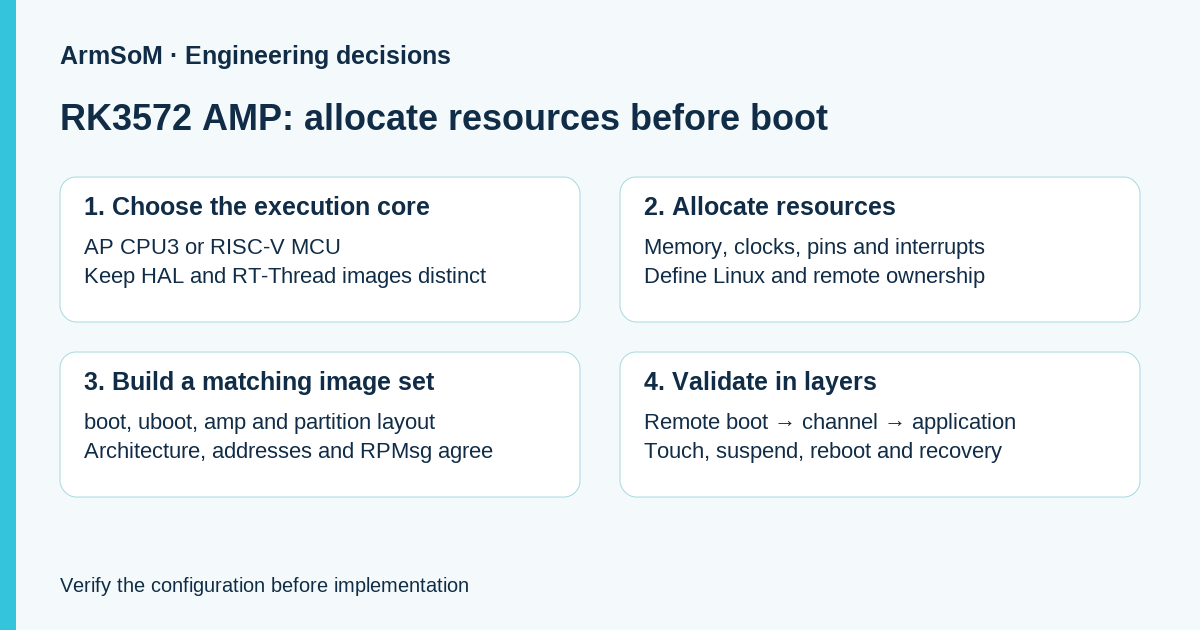
1. Select one of four combinations
| Combination | Auxiliary resource | Firmware | Android requirement |
|---|---|---|---|
| 1 | AP CPU3 | Rockchip HAL | Remove that core from Linux SMP ownership |
| 2 | AP CPU3 | RT-Thread | Same, with matching AP architecture and entry |
| 3 | RISC-V MCU | Rockchip HAL | AP cores remain for Android; allocate peripherals separately |
| 4 | RISC-V MCU | RT-Thread | Main path in this guide; independently built firmware |
AP and MCU images are not interchangeable because both are named amp.img. The example AP output is rk3572-64/Image/amp.img; the MCU output is rk3572-mcu/Image/amp.img. U-Boot’s AP startup and MCU standalone paths differ too.
RPMsg provides interprocessor messaging, not automatic protection of shared resources. Linux documentation notes that remote processors can access physical memory and peripherals, making channel and message-access restrictions important. Linux RPMsg
2. Pin repositories, toolchain and build scope
Use a matching release of u-boot, rkbin, kernel-6.12, device/rockchip and rt-thread-rk3572. Android’s build.sh is not the RT-Thread builder: auxiliary firmware is built separately.
For the MCU path below, replace the toolchain location with a real absolute path and confirm the compiler version required by the SDK:
cd rt-thread-rk3572/bsp/rockchip/rk3572-mcu
export RTT_EXEC_PATH=/absolute/path/to/riscv-toolchain/bin
test -x "$RTT_EXEC_PATH/riscv64-unknown-elf-gcc"
scons --menuconfig
scons -j8
./mkimage.sh
RT_USING_RPMSG_LITE enables the messaging stack. Test commands may depend on RT_USING_COMMON_TEST and GPIO/WDT options. Keep .config, rtconfig.h and the actual output consistent. The example mkimage.sh wraps rtt.bin into FIT-formatted Image/amp.img, with MCU load address 0x45000000; this is not a default for other BSPs.
3. Both sides must agree on reserved memory
This is the source project’s allocation, provided for comparison rather than direct reuse on arbitrary boards.
| Region | Base | Reservation |
|---|---|---|
| mcu_reserved | 0x45000000 | 2 MiB |
| amp_shmem_reserved | 0x45200000 | 2 MiB |
| rpmsg_reserved | 0x45400000 | 2 MiB |
| rpmsg_dma_reserved | 0x45600000 | 2 MiB |
| amp_reserved | 0x45800000 | 32 MiB |
| amp_uart_reserved | 0x47800000 | 128 KiB |
The exclusive end of amp_reserved is 0x47800000, adjacent to the next region without overlap. The source AP CPU3 entry is 0x46400000, distinct from the MCU entry.
The RPMsg example maps only the 0x20000-byte vring area and references a separate DMA pool through memory-region. Reservation size, mapped size and payload capacity are different concepts:
rpmsg: rpmsg@45400000 {
    compatible = "rockchip,rpmsg";
    mbox-names = "rpmsg-rx", "rpmsg-tx";
    mboxes = <&mailbox0 0 &mailbox3 0>;
    rockchip,vdev-nums = <1>;
    rockchip,link-id = <0x03>;
    reg = <0x0 0x45400000 0x0 0x20000>;
    memory-region = <&rpmsg_dma_reserved>;
    status = "okay";
};
Match rockchip,link-id, mailboxes and addresses to the remote rpmsg-lite configuration. 0x03 is the source value, not something inferred from a channel name. Inspect the merged device tree and linker scripts: both sides can compile successfully while using different memory.
4. Android kernel and board configuration
The source uses a non-GKI baseline. This does not establish that every AMP platform must disable GKI; check the target SDK’s supported combination first.
BOARD_BUILD_GKI := false
PRODUCT_KERNEL_CONFIG += rockchip_amp.config
BOARD_WITH_SPECIAL_PARTITIONS += amp:4M
Example kernel settings:
CONFIG_ROCKCHIP_AMP=y
CONFIG_MAILBOX=y
CONFIG_ROCKCHIP_MBOX=y
CONFIG_RPMSG=y
CONFIG_RPMSG_VIRTIO=y
CONFIG_RPMSG_NS=y
CONFIG_RPMSG_ROCKCHIP_MBOX=y
CONFIG_RPMSG_TTY=y
CONFIG_VIRTIO=y
The source includes rk3572-amp.dtsi after rk3572-android.dtsi. Only its AP CPU3 combinations disable the corresponding CPU node:
&cpu_l3 {
    status = "disabled";
};
Do not apply that change unnecessarily to an MCU combination. nproc can reflect online state or process affinity and is not standalone ownership evidence; correlate the final DTS, CPU online list and boot logs.
5. Assign peripherals, interrupts and GPIO
When a peripheral moves to the remote core, inspect the Linux node, clocks, resets, pinctrl, DMA and interrupts together. Disabling one driver node does not automatically release every resource.
The source branch’s amp-irqs uses global GIC interrupt IDs. For a DTS interrupt explicitly typed as SPI, apply the binding’s +32 conversion exactly once. This is not a dynamically allocated Linux virtual IRQ; do not copy the left-hand number in /proc/interrupts directly.
GPIO ownership may operate at bank/output granularity rather than at arbitrary individual pins. The source author reports Android touch failure after MCU initialization takes a GPIO bank and proposes deferring interrupt acquisition. The complete patch was not supplied, so a screenshot fragment is not presented as a verified universal driver fix. Inventory all Linux and MCU users of the bank and check the driver’s actual sharing and ownership rules.
6. Make auxiliary firmware part of a reproducible build
The source Android build entry is shown below. Verify option meanings and output directories in your script first:
./build.sh -ACKUu
ls -lh rockdev/Image-rk3572_a16/
sha256sum rockdev/Image-rk3572_a16/amp.img
| Output | Review |
|---|---|
boot.img |
Kernel, DTS, AMP and RPMsg match the chosen combination |
uboot.img |
Correct firmware type and loading path |
amp.img |
Architecture, FIT metadata, entry and shared-memory contract |
parameter.txt |
Partition size, layout and actual packaging rules |
update.img |
Correct versions of every required image are included |
If packaging recreates rockdev, a one-time manual copy of amp.img can vanish in the next build. Integrate copying and a missing-file failure check into the build, and record hashes. The source’s skip-if-missing snippet can aid debugging, but production packaging must not silently omit required firmware.
7. Pre-deployment checks and staged validation
These queries do not write partitions. Log access may need a development image; retain any failures:
adb shell cat /sys/devices/system/cpu/online
adb shell ls -l /dev/ttyRPMSG0
adb shell dmesg | grep -Ei 'amp|rpmsg|mailbox'
adb shell cat /proc/interrupts
adb shell ls -l /dev/block/by-name/
For initial deployment or a changed partition table, use a complete firmware set checked against the board, storage, loader, signatures and layout. Back up data and establish recovery first. The source’s full-image command follows; it writes firmware and is not a diagnostic query. Use it only for the confirmed development device in the appropriate upgrade mode:
./upgrade_tool uf update.img
No fixed /dev/block/sda13 or LBA-write recipe is supplied here, and the missing Maskrom recovery section is not invented. Partition changes invalidate those assumptions. Updating amp alone also requires an unchanged layout, compatible images and a recovery path.
Validate in order: U-Boot loads the remote image; remote console/logs work; RPMsg name and endpoints appear; small messages pass with length checks; the application runs; touch/network/storage operate concurrently; reboot, power loss, suspend and recovery pass. The example /dev/ttyRPMSG0 is an observation point, not a guaranteed node on every image.
A successful boot does not establish hard real-time performance. Record load, measurement method, worst-case latency and fault recovery. The ArmSoM AMP guide explains background concepts, but settings for other SoCs do not replace RK3572 configuration. Supplied project record
Products and further reading
Start an ArmSoM evaluation with the RK3588-based Sige7, AIM7 or LM7, or the RK3576-based CM5 and Sige5. Check interfaces and available images in the Sige7, CM5 and Sige5 documentation. These links support product selection; they do not certify every SDK combination discussed here.