
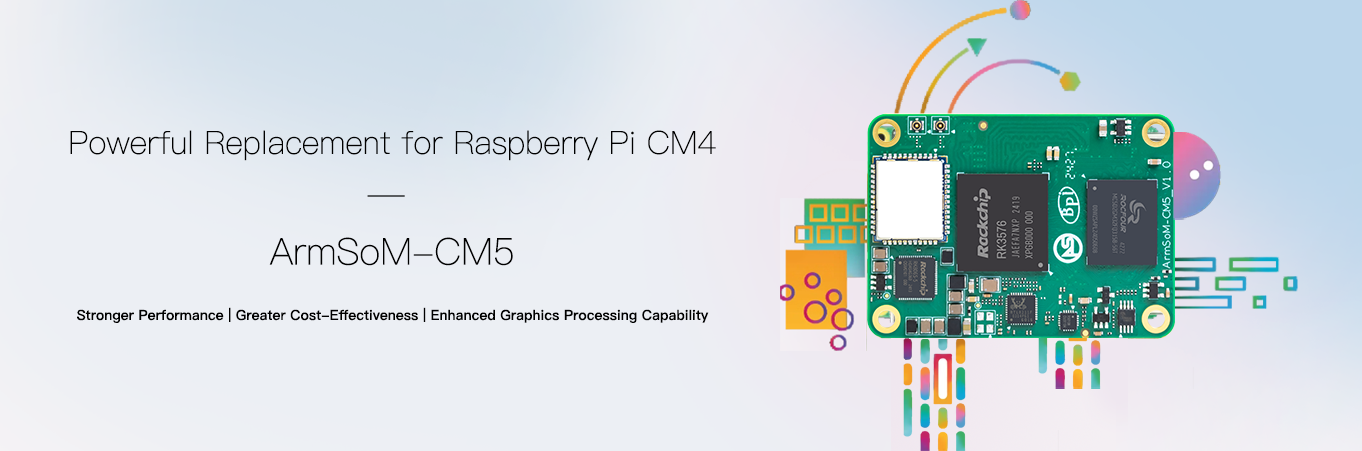
For projects considering Raspberry Pi CM4 or CM5, ArmSoM CM5 offers a different route based on RK3576: eight CPU cores and an NPU in a compact module, connected to application peripherals through a carrier. It is worth evaluating for local inference or a revised system architecture, with migration assessed for the actual product.
Two meanings of alternative
A platform alternative changes the processor, software and peripheral plan. A carrier-compatible replacement additionally requires electrical, pin, interface and software compatibility. ArmSoM documents a Raspberry Pi CM4 carrier path and differences in HDMI/DSI counts. This does not guarantee every third-party CM4 carrier, nor establish compatibility with Raspberry Pi CM5 IO Board.
| Existing project | Recommended approach |
|---|---|
| Raspberry Pi CM4 IO Board | Validate actual peripherals with the matching ArmSoM image and documentation |
| Third-party CM4 carrier | Review schematic, pinout, power and interfaces individually |
| Raspberry Pi CM5 with its carrier | Treat as a platform migration, not a name-based swap |
| New edge-AI device | Prototype with CM5 and a matching carrier before custom hardware |
Why consider ArmSoM CM5?
RK3576 provides a dedicated NPU path for converted vision classification and detection models while the CPU handles protocols and application logic. RKNN conversion and accuracy checks are required; the 6 TOPS INT8 figure uses sparsity and is not universal model throughput.
A module also lets the carrier follow the product’s power, connector and mechanical requirements. Existing mechanical and carrier investment may be partly reusable, but this must be established rather than assuming no hardware or software changes.
Compare workloads, not just core counts
Raspberry Pi specifies four Cortex-A76 cores for its CM5; ArmSoM CM5 uses four A72 plus four A53 cores. Eight versus four cores across different microarchitectures does not determine the winner. Measure response latency, throughput, memory use and energy on your software, including driver, maintenance and migration costs.
A Raspberry Pi OS image is not an RK3576 image. Python or containerised business logic may transfer relatively easily, while GPIO numbering, camera software, accelerated video, device trees and boot paths require separate work. A shared Arm instruction set does not make drivers interchangeable.
A five-step migration
- Inventory dependencies: cameras, displays, USB, PCIe, wireless and GPIO.
- Review hardware: module revision, connectors, pinout and power sequencing. ArmSoM notes that the early CM5 v1.2 Pin 21 issue was corrected in v1.3; check the physical revision.
- Establish software: use an image for the specific module and carrier; record kernel and drivers.
- Move the application: establish basic operation, then adapt acceleration and peripheral access.
- Validate the system: cold starts, power loss, network outages, thermal behaviour and sustained load.
When to start with Sige5
If the carrier is undecided, Sige5 offers a direct way to validate functions. When dimensions, connector positions and production requirements are known, evaluate CM5 for custom integration. This is an engineering selection path, not an untested performance or cost advantage claim.
Series and product links
- RK3576 explained: from eight CPU cores to ArmSoM edge AI products
- What can Sige5 do? Six RK3576 edge computing applications
- RK3576 Datasheet V1.0: download, package, electrical and thermal guide
- ArmSoM CM5 · ArmSoM Sige5